Airbnb Photography in Tampa Bay: A Practical Shot List
By Igor, photographer at K94 Production · Updated November 17, 2026
Plan rental photos around the questions guests ask: sleeping spaces, kitchen equipment, bathrooms, arrival and shared amenities. A Tampa Bay host’s shot list.
Build the shot list around the stay
For an Airbnb or vacation-rental shoot in Tampa Bay, photograph what a guest needs to understand before booking: where people sleep, how the main spaces connect, what equipment is available and which outdoor areas they can use. Add appealing detail photographs after the essential spaces are covered. A gallery of attractive corners alone leaves practical questions unanswered.
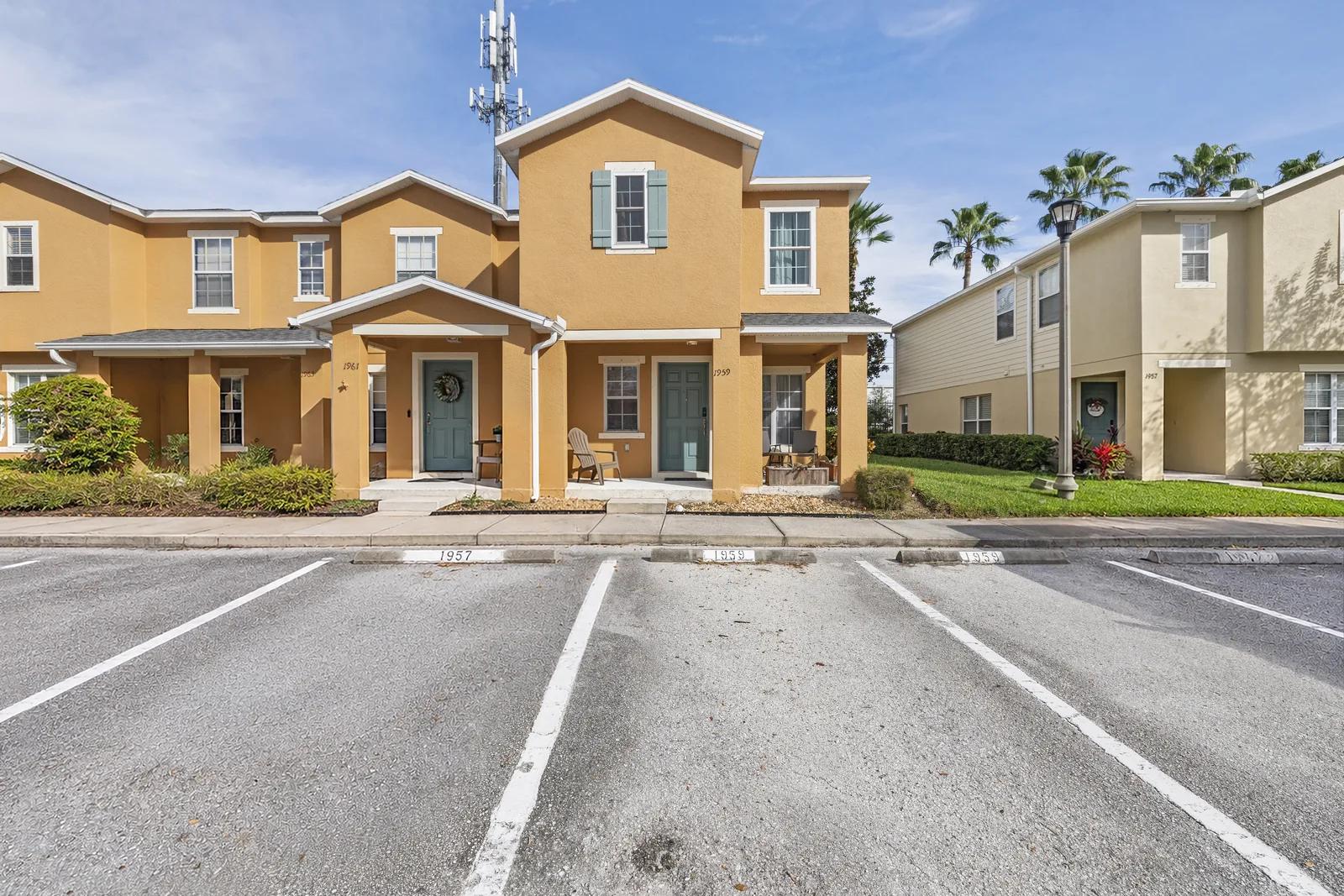
This guide is for hosts planning photography in Tampa, Clearwater and St. Petersburg. The example photographs are from K94’s townhome shoot at 1959 Searay Shore Drive, Clearwater. They illustrate room presentation; we are not identifying that property as an Airbnb or claiming rental results from the shoot.
Make each sleeping space identifiable
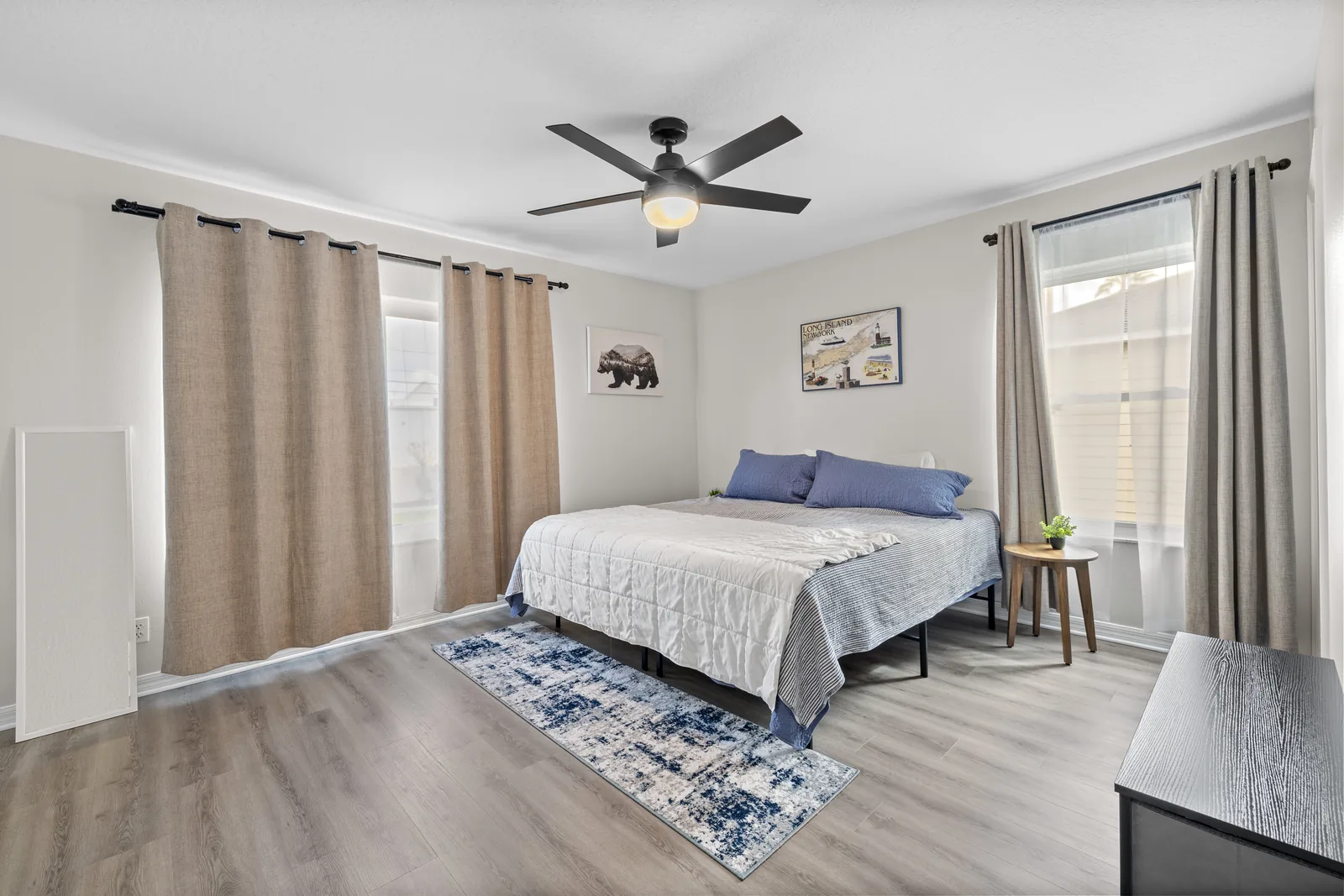
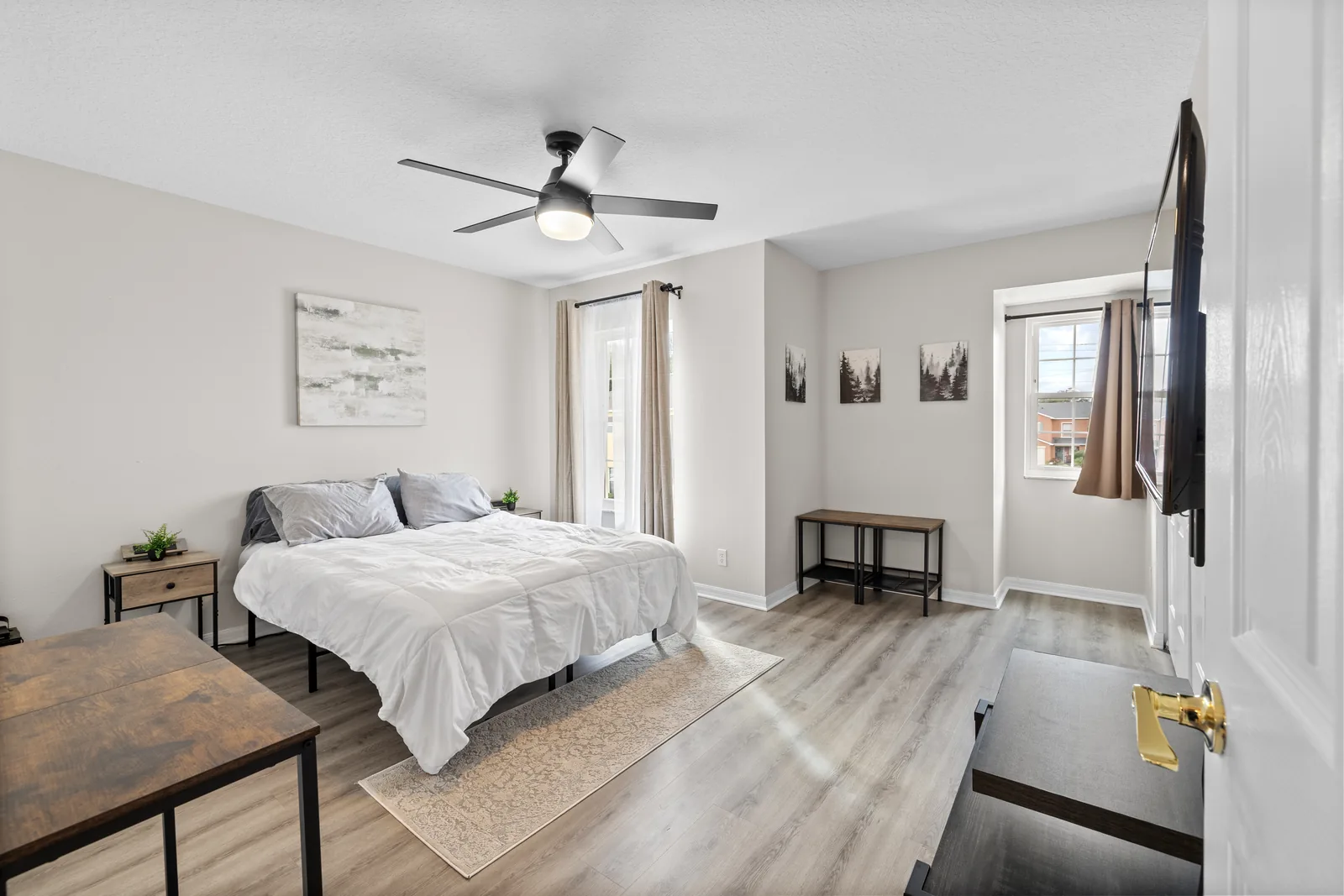
Give each bedroom its own overview. Show the bed in relation to the windows, storage and walking space, then decide whether another angle adds useful information. Use consistent room labels when you prepare the gallery so a guest can distinguish Bedroom 1 from Bedroom 2 instead of guessing whether two photographs show the same bed.
If a sofa bed or another convertible sleeping arrangement is part of the rental, discuss photographing it in both its everyday and sleeping configurations. Confirm the actual bed sizes and sleeping arrangements separately with the host. Photographs can show the arrangement, but perspective is not a reliable way to establish a mattress size or permitted guest capacity.
In the two Clearwater bedroom photographs below, the separate views give each room a place in the gallery. For a rental brief, the next question would be which verified sleeping details the host needs to explain alongside each image.
Show a usable kitchen, then its important details
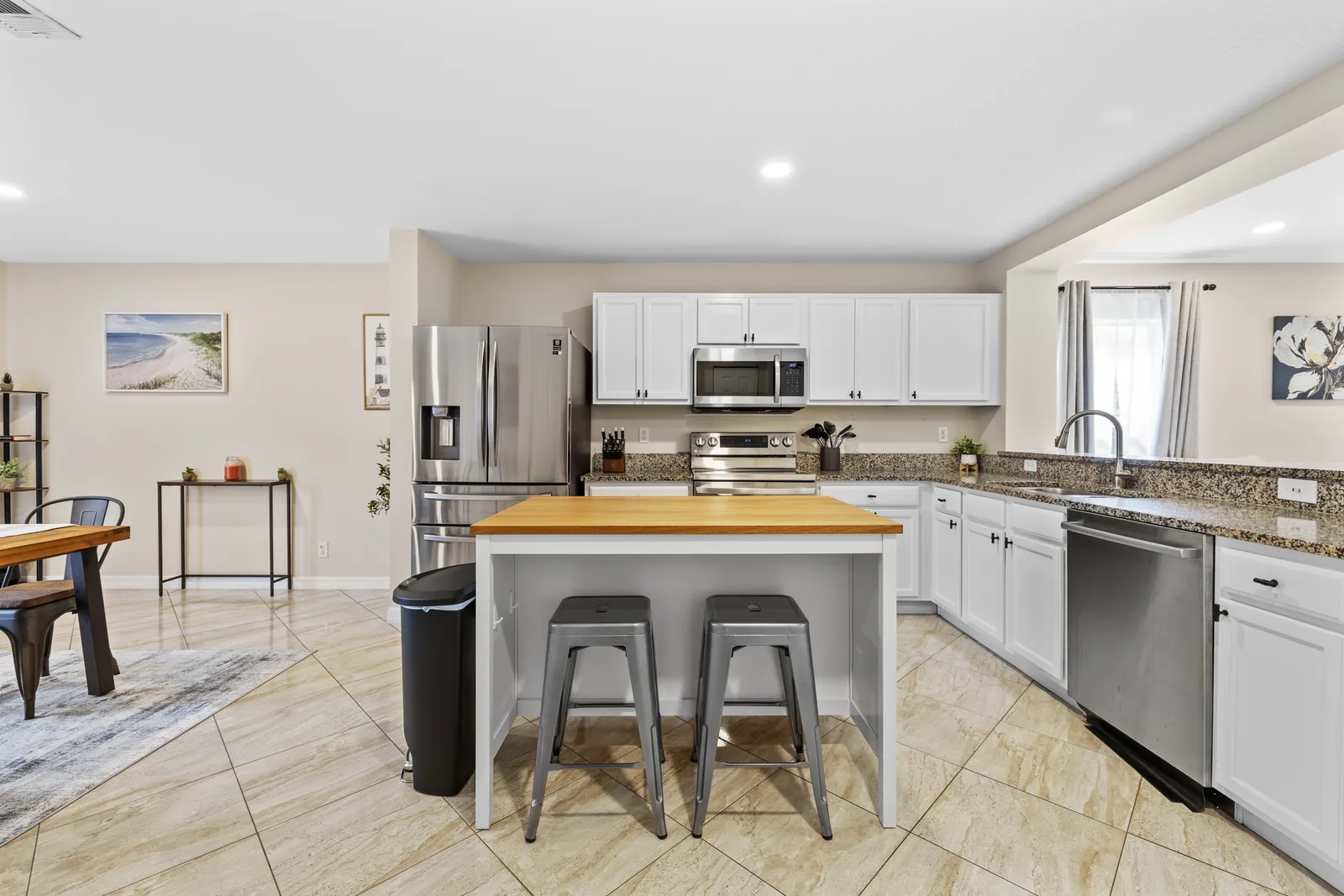
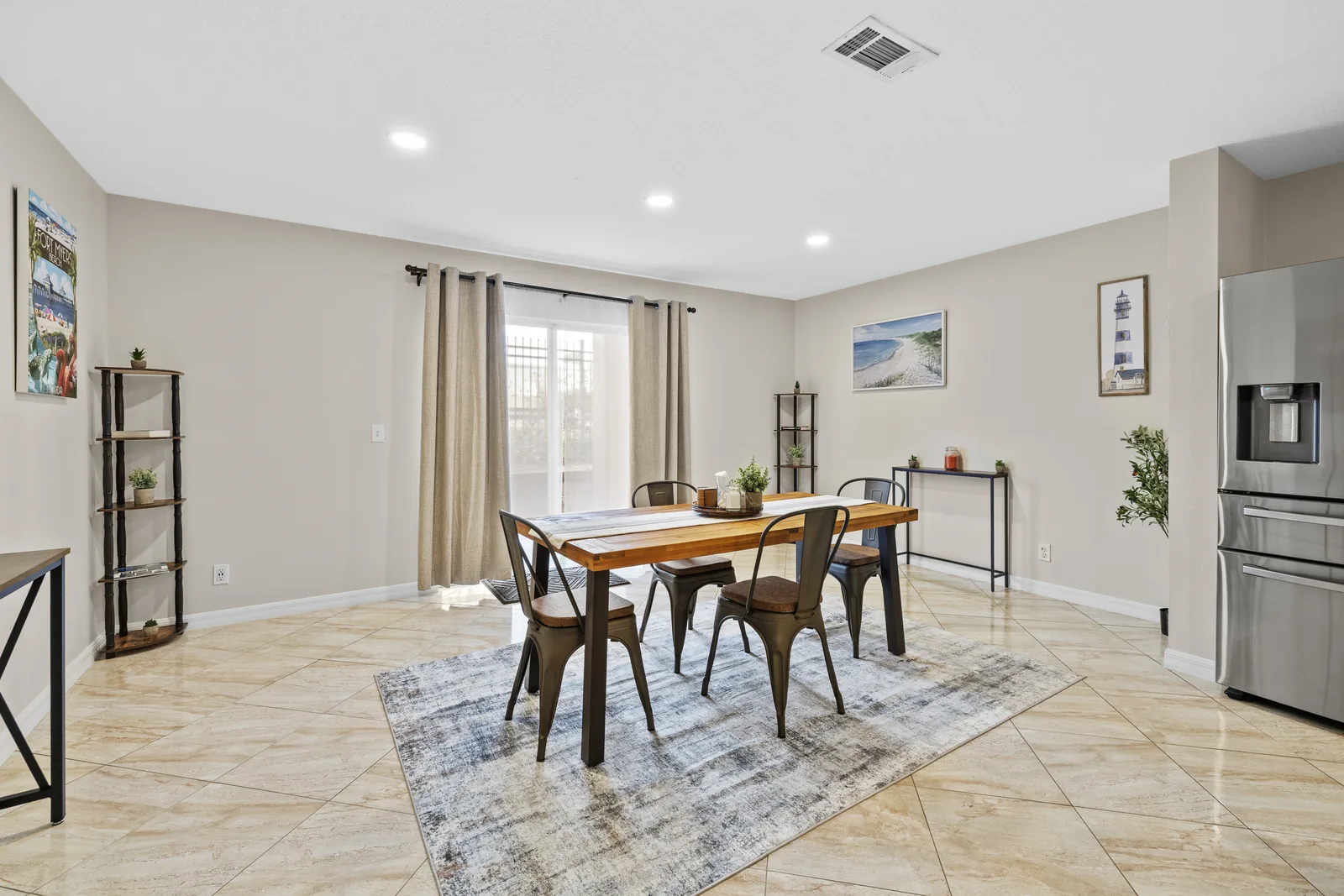
Begin with a kitchen overview showing the work area, appliances and connection to dining. Follow with a closer photograph only when it answers a guest question: for example, the coffee setup or a particular cooking appliance that is actually supplied. Keep those details consistent with what guests will find during their stay.
The Clearwater kitchen and dining views demonstrate the difference between documenting the cooking space and explaining where people eat. A close-up of a coffee cup cannot replace either overview. Before the shoot, ask the host which kitchen features are part of the offer and make sure they are clean, present and ready to photograph.
Include bathrooms and everyday facilities
Photograph each bathroom rather than using a single decorative detail to represent all of them. Show the relevant fixtures clearly and let the listing description explain whether facilities are private or shared. If the bath and shower cannot be understood in one composition, discuss a second view.
Add laundry, a work area or another practical facility when it is included in the stay. Show enough context to make the feature understandable. A laptop on a dining table should not be used to imply a separate office, and a closed cupboard should not stand in for a laundry setup that the guest cannot see.
Separate the home, shared amenities and the surrounding area
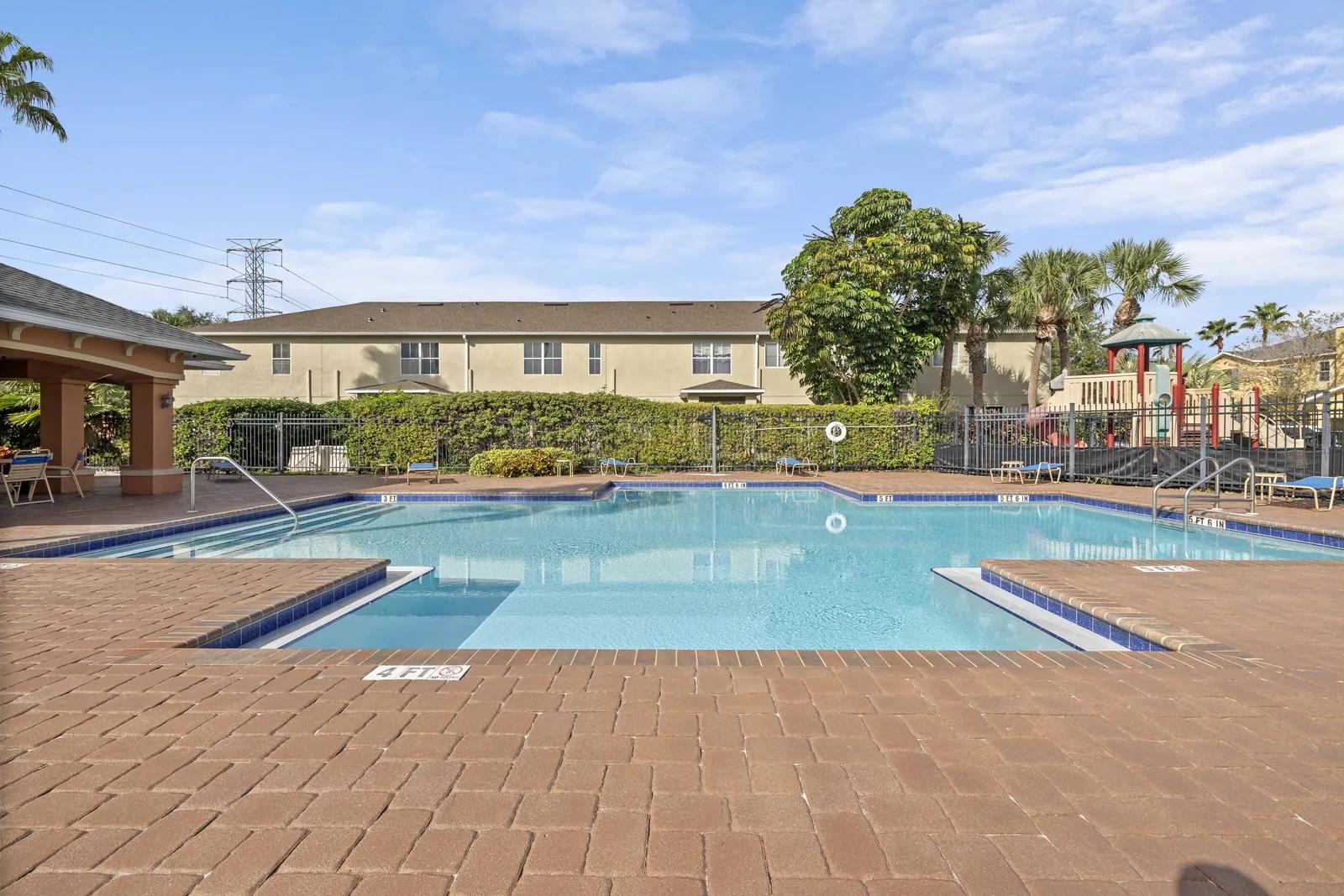
For a property with a pool, terrace or other amenity, identify whether the space belongs to the rental or is shared. Coordinate permission and access before the appointment. In our Clearwater example, the pool is a shared community amenity; that distinction should remain clear wherever the photograph is used.
Keep destination photographs separate from photographs of the rental itself. A beach or waterfront scene does not establish that a home is on the water, has a water view or provides private access. If you commission nearby-area images, agree on their purpose and describe their location accurately.
An arrival overview can help explain the building and approach. Sensitive arrival details, such as access codes, should be handled through the host’s appropriate guest communications rather than exposed in public photography.
Prepare the space as guests will actually receive it
Use the bedding, furniture and amenities that will be available during the advertised stay. If styling items are brought in only for the shoot, consider whether their inclusion would create the wrong expectation. The preparation goal is a clean, coherent presentation of the actual accommodation.
Schedule the appointment when the property can be fully ready and unoccupied for photography. Allow for cleaning completion, access and any agreed setup changes. Send the desired publication date to the photographer, but confirm turnaround and scope instead of assuming a general listing package covers every rental requirement.
- Confirm the room list and actual sleeping configurations.
- Prepare the bedding and amenities that guests will receive.
- Arrange access to all agreed rooms and shared facilities.
- List the practical details that need an additional photograph.
- Identify rental platforms, website use and other intended uses.
- Confirm deliverables, usage terms and the deadline before booking.
Organize the finished gallery by room
Airbnb’s official photography guidance describes a photo tour that organizes images by room. Review the room assignments and captions when building your listing so the gallery matches the actual layout. Check the current platform tools rather than assuming the delivery folder’s order will become the final guest experience.
Choose an opening photograph that represents the accommodation, then make sure guests can find the less dramatic but essential spaces. Keep a record of what needs updating after furniture changes or renovations. An older photograph can be attractive and still describe a setup the guest will no longer receive.
Send K94 your address, room list, sleeping arrangements and intended uses to discuss the shoot. The standard listing packages are shown below for reference; confirm a vacation-rental scope and quote before selecting a package.
Frequently asked questions
Can a real estate listing shoot and an Airbnb shoot use the same shot list?
They can share room overviews, but a rental brief may need additional sleeping configurations, equipment and guest-use details. Agree on those requirements before the appointment.
Do more photos guarantee more bookings?
No. Use photographs to explain the actual accommodation and answer guest questions. Booking outcomes also depend on the offer, price, availability and other factors.
Should shared facilities appear in the gallery?
Include relevant facilities only after confirming access and permission. Describe them as shared and avoid suggesting that they are private spaces within the rental.
Discuss photography for your Tampa Bay vacation rental
Further reading
Airbnb’s official listing-photography guide. Reviewed November 17, 2026.
Current K94 packages
Starter
$149
- 20 HDR Photos
- 2D Floor Plan
- Interior + Exterior
- 24-Hour Delivery
- Web & MLS Ready
Pro
$300
- 30 HDR Photos
- 2D Floor Plan
- Interior + Exterior
- 60-Sec Listing Video
- 24-Hour Delivery
- Social Media Ready
Elite
$500
- 40 HDR Photos
- 2D Floor Plan
- Interior + Exterior
- 90-Sec Cinematic Video
- 24-Hour Delivery
Drone photos, drone video, 3D virtual tours and virtual twilight are optional add-ons, quoted separately. Drone flights depend on weather, site access and airspace authorization.
Plan your Tampa Bay listing shoot
Send the property address, size, preferred date and the rooms or amenities you need covered. We will confirm the scope and package before your shoot.